 INV-001
Create and send invoices
from one place.
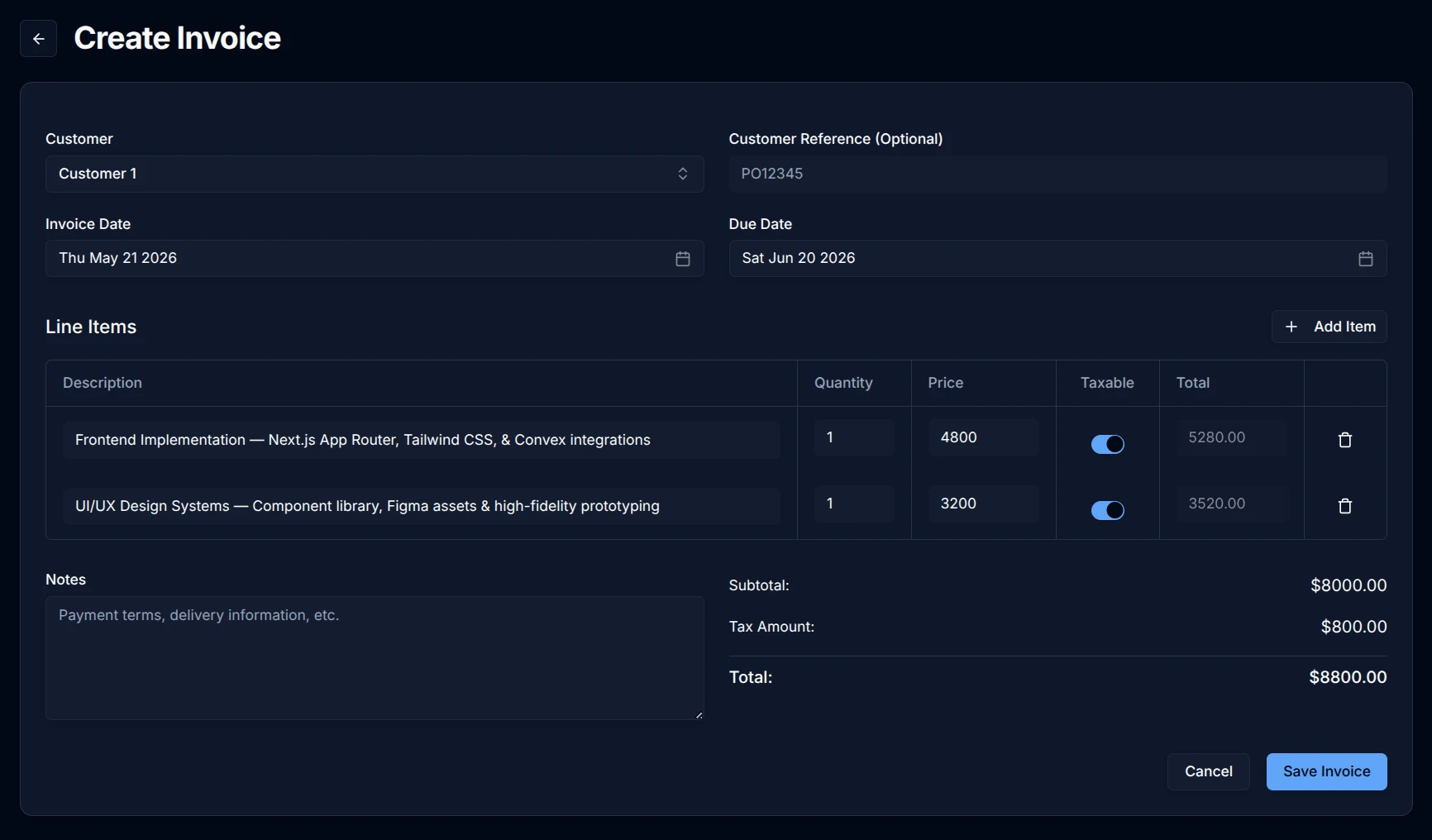
Add a new customer while you write their invoice. Kite saves their details for next time, emails the invoice, and keeps your invoices together so you can see what's paid and overdue.
Kite is coming soon. We'll email you when it's ready to try.
Get notified when Kite launches.
Kite is being built for Australian sole traders. Leave your email and we'll let you know when you can try it.

Create, review, send.
Add a customer and write their invoice from the same place. Review the details, then send it to their inbox.
New customer? Add them while you invoice.
Enter their name without leaving the invoice. Kite saves their details for your next invoice, so you only need to add them once.
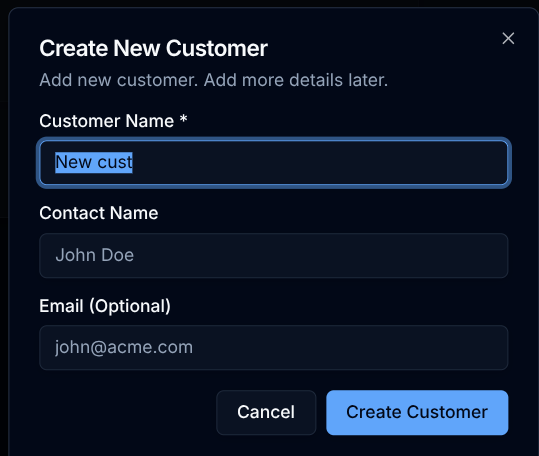
Add their email when you're ready to send.
Don't have their email handy? Write the invoice first and add it before sending. Kite prompts for any extra customer details the tax invoice needs.
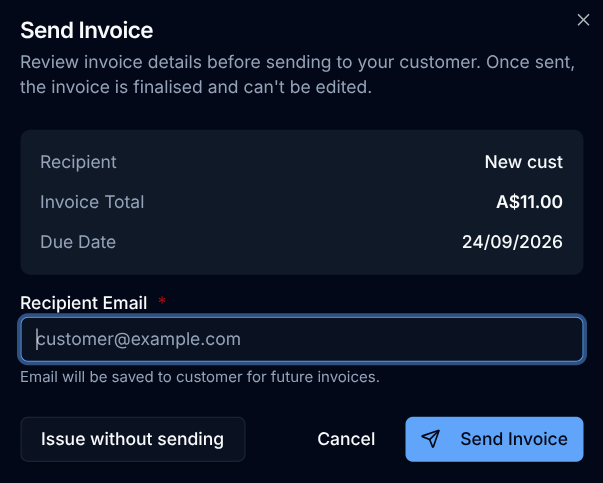
Send it. Kite saves and emails it.
Review the recipient, amount, and due date. Click Send Invoice to issue the invoice and email it to your customer. Their email is saved for next time.
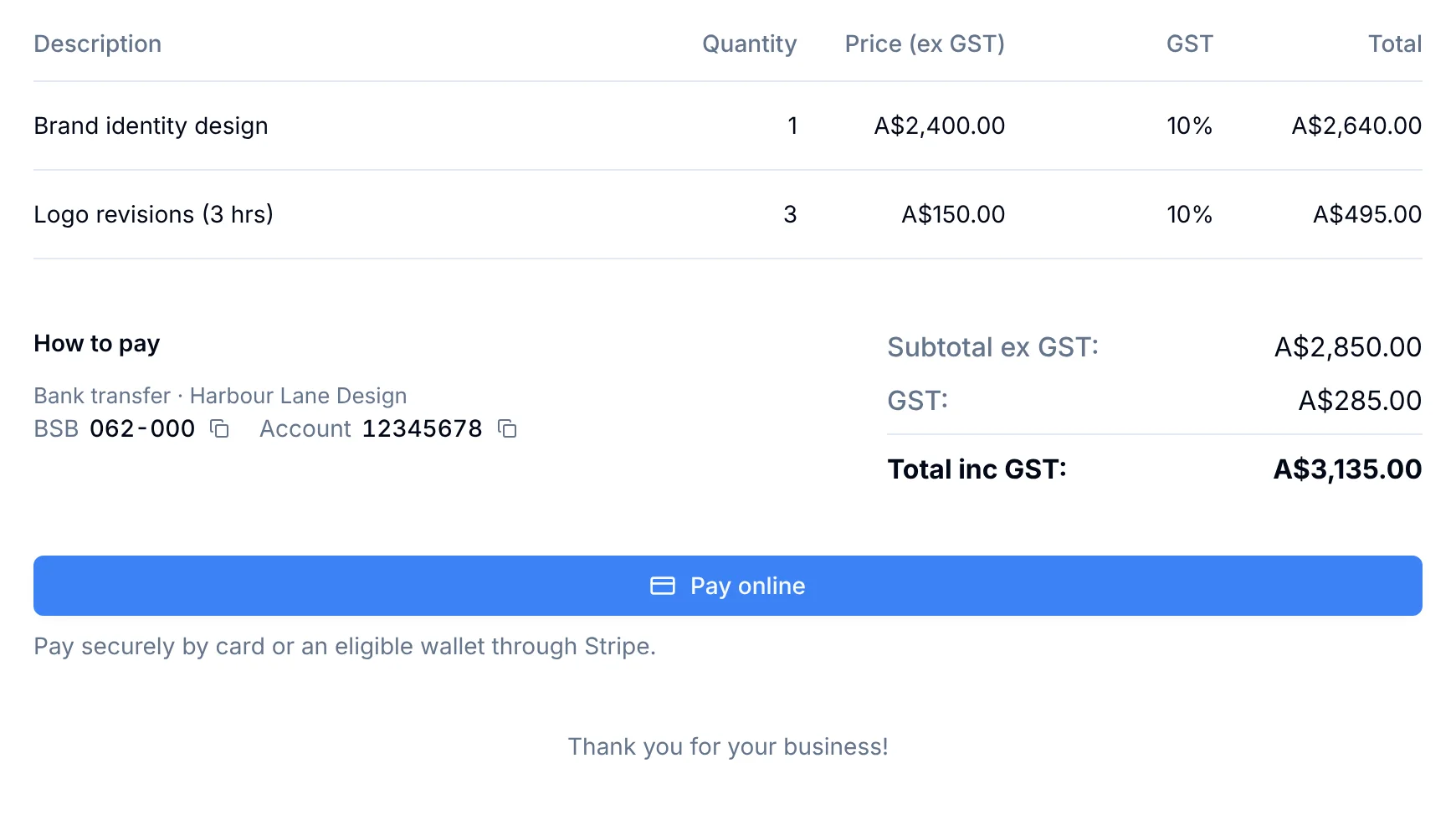
Let Customers Pay by Card.
Connect your own Stripe account and your invoices get a Pay online button. Customers pay by card or an eligible wallet, and Kite marks the invoice paid automatically. Your bank transfer and PayID details can show on the invoice too.
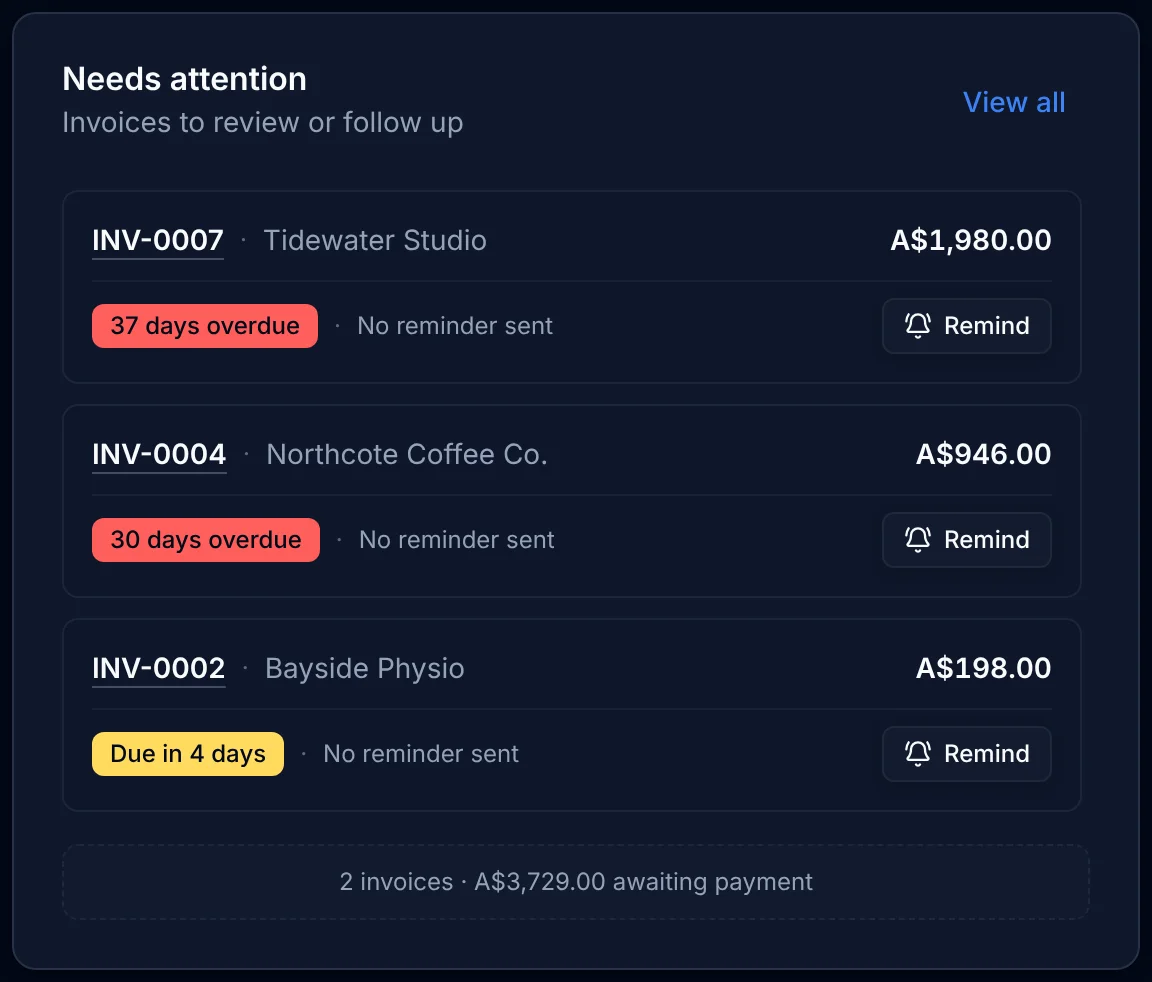
Kite Nudges Late Payers.
Switch on automatic reminders and Kite emails your customer an overdue notice three days after the due date. Your Launchpad home screen lists anything overdue or due soon, so nudging someone yourself is one click.
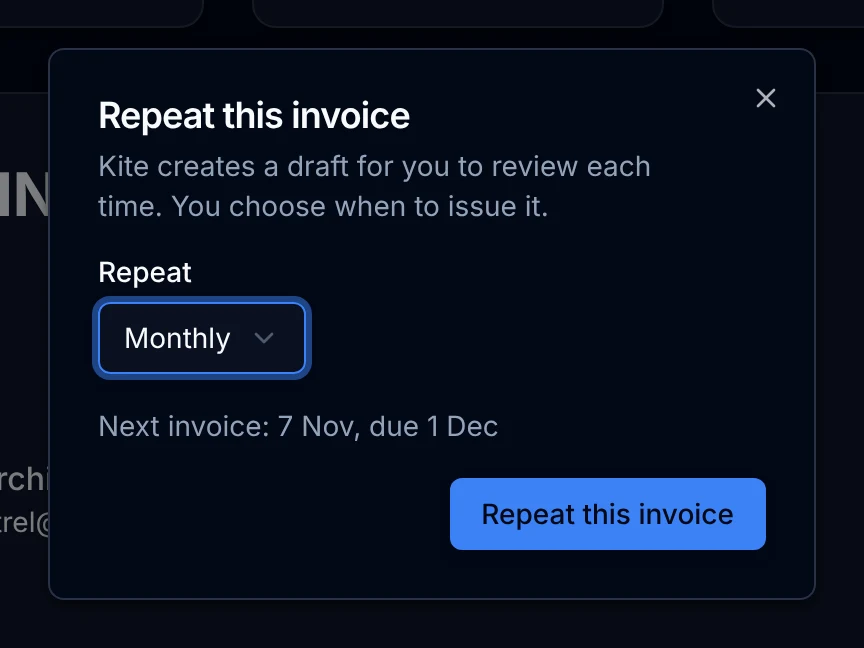
Repeat It. Don't Rewrite It.
Set any invoice to repeat weekly, fortnightly, monthly, quarterly, or yearly. Each time, Kite creates a draft and emails you that it's ready. Nothing goes to your customer until you check it and send it.
See what needs your attention.
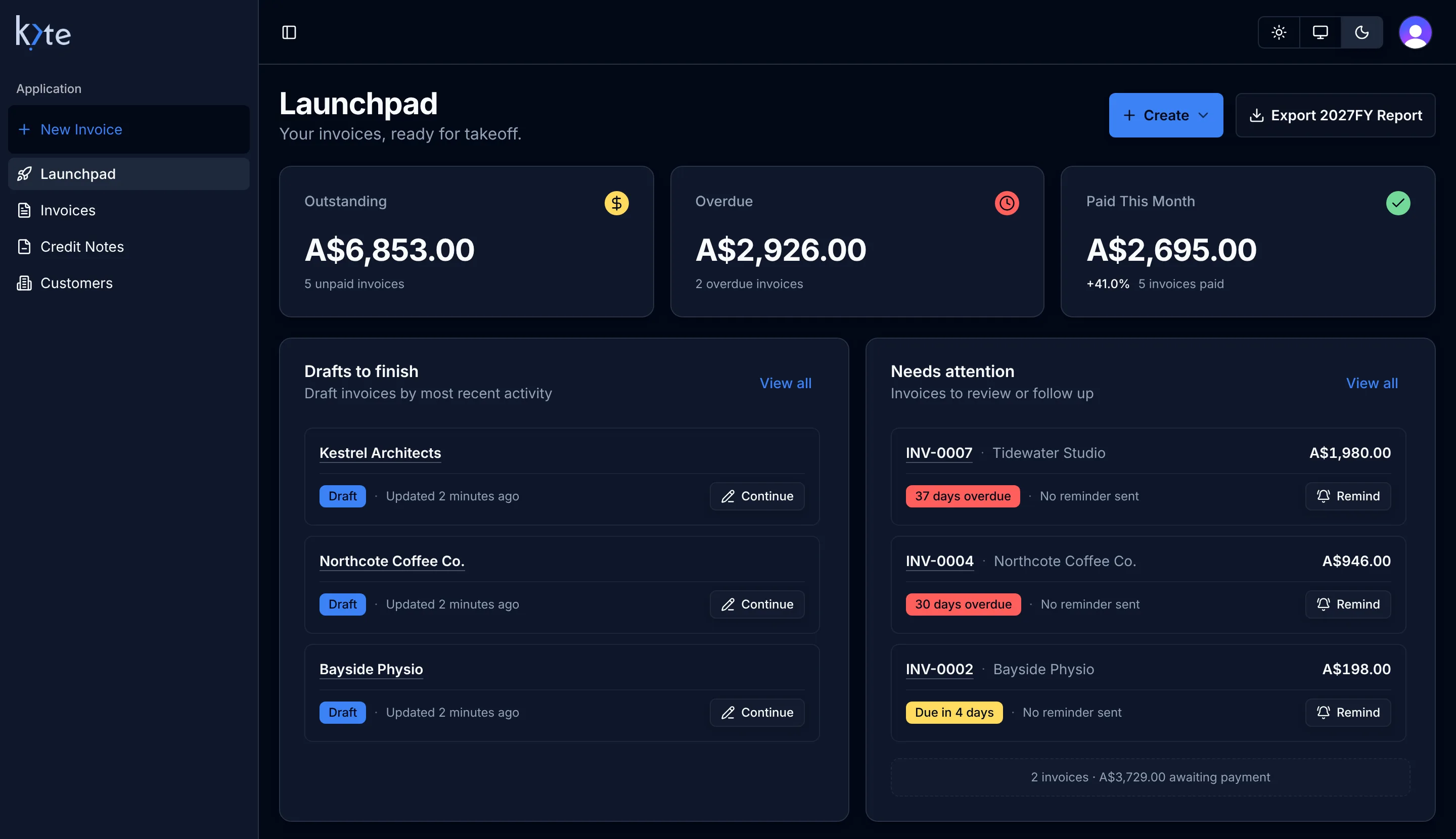
Launchpad shows what you're owed, what's overdue, and the drafts you haven't finished. Record bank transfer and PayID payments when they arrive; Stripe payments are recorded automatically.
Export your invoice and payment records.
Export an EOFY spreadsheet of your invoices and GST, or download your invoices and credit notes as PDFs with customer and payment records as CSVs in one ZIP. Share the relevant records with your accountant at tax time.
| Document Number | Sales (ex GST) | GST | Total (inc GST) |
|---|---|---|---|
| INV-0004 | 860.00 | 86.00 | 946.00 |
| INV-0005 | 2,850.00 | 285.00 | 3,135.00 |
| INV-0006 | 640.00 | 64.00 | 704.00 |
| INV-0007 | 1,800.00 | 180.00 | 1,980.00 |
| INV-0008 | 540.00 | 54.00 | 594.00 |